
If you have a website, a blog, or an online business, you need people to find it. Most of the time, people type something into Google and click on one of the results that appears. SEO is the process that helps your website show up in those results.
This guide will teach you everything you need to know about SEO and how to grow your presence online. No complicated words. No technical jargon. Just simple, clear steps that actually work.We create powerful SEO strategies, engaging content, and modern digital solutions to help your business stand out online.
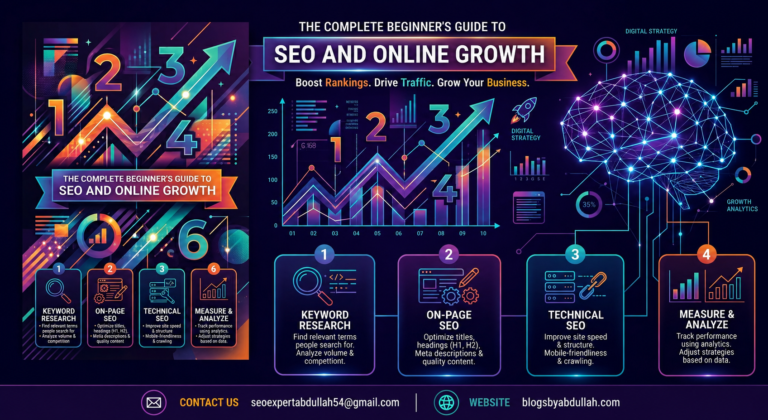
Master the fundamentals of search engine optimization with beginner-friendly tips, smart keyword usage, and content strategies that work.
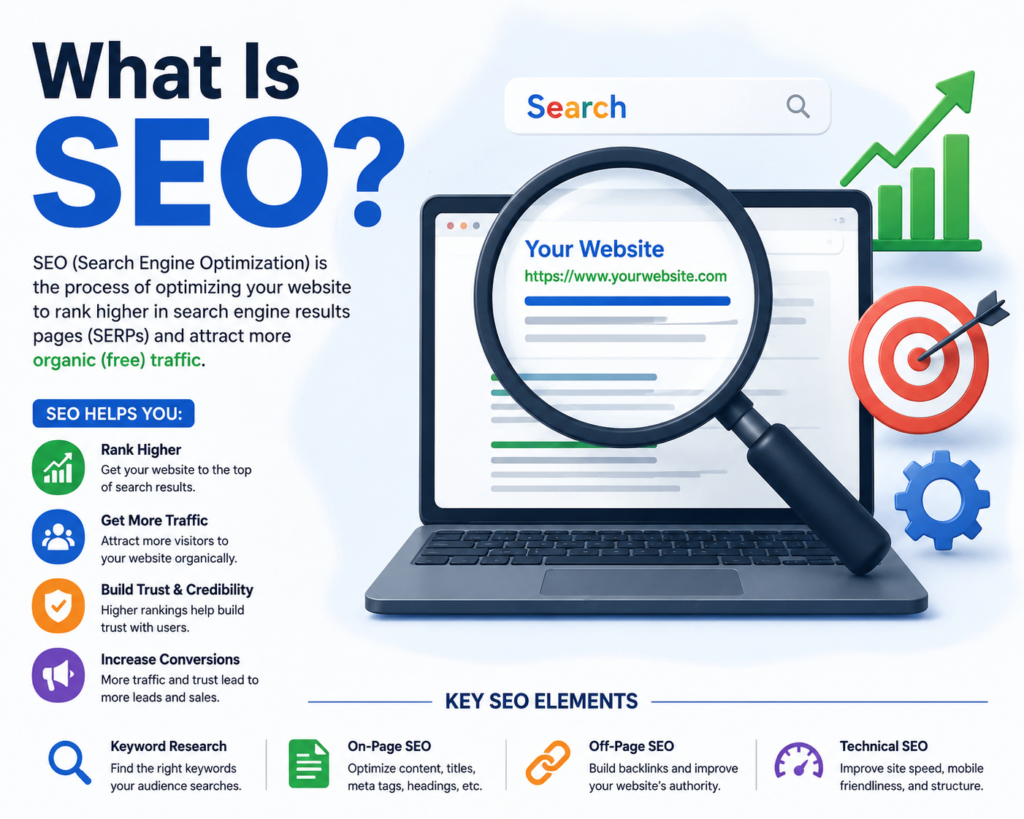
SEO stands for Search Engine Optimization. In plain words, SEO means making your website easier for Google to understand so that it shows your pages to people who are searching for topics related to your website.
When someone types “best pizza recipe” or “how to fix a leaking tap” into Google, a list of websites appears. The websites at the very top of that list get most of the clicks. The first result gets about 27 out of every 100 clicks. The second gets around 15. By the time you reach the second page, almost nobody clicks at all. SEO is how you move your website closer to the top.
There are two main ways to get visitors to your website. First, pay for ads — you pay Google to show your website at the top, and the moment you stop paying, the visitors stop coming. Second, use SEO — you optimise your website so Google shows it for free, and once you rank, you can get visitors for months or even years without paying anything.
SEO takes more time than ads, but the results last much longer. A single blog post that ranks well on Google can send thousands of people to your website every month without spending a penny on advertising.
Mostly, yes. Google handles about 92% of all searches worldwide. So when people talk about SEO, they almost always mean getting your website to rank well on Google. Other search engines like Bing and Yahoo use similar principles, so good Google SEO tends to work across all of them.
Before you can do SEO, you need to understand how Google actually finds and ranks websites. The process has three main steps.
Google uses small programs called crawlers or bots. These bots travel around the internet, clicking on links and visiting web pages — just like a person would, but much faster and 24 hours a day. When a bot visits your page, it reads all the text, looks at your images, and follows all the links it finds. This is called crawling. If your website has no links pointing to it from other sites, Google’s bots might never find it. This is why getting links from other websites matters so much.
After a bot reads your page, Google saves information about it in a giant database called the index. Think of the index like a massive library. Crawling is how books get added to the library. Indexing is how the library organises and understands each book. Google looks at what topic the page covers, how good and helpful the content is, who wrote it and whether they are trustworthy, and how the page connects to other pages. Not every page gets indexed. If your content is thin, copied, or low quality, Google might choose not to include it at all.
When someone types a search into Google, Google looks through its entire index and picks the pages it thinks will best answer that search. Then it puts them in order from most useful to least useful. The ranking is based on hundreds of signals, but the biggest ones are relevance (does this page actually answer the question), quality (is the content helpful and trustworthy), speed (does the page load fast), and links (do other reputable websites link to this page).

Search intent simply means: what does the person actually want when they type something into Google? Google has become very good at figuring out what people really want. So if you write a page that does not match what people want when they search your keyword, that page will not rank — no matter how good your writing is.
The Four Types of Search Intent:
Google the keyword yourself. Look at the first five results. Whatever Google is already showing tells you exactly what format and style your content needs to be in. If the top results are all “10 best” list articles, write a “10 best” list article. Trying to rank with a completely different format is fighting against Google’s own understanding of what users want.
Keyword research is the process of finding the exact words and phrases your target audience types into Google.
A good keyword has three things. Search volume people actually search for it. Low competition you have a realistic chance of ranking for it. Clear intent it matches content you can create.
Short keywords are broad, one or two word searches like “diet tips” or “SEO guide.” Millions of people search for them, but thousands of websites are competing for those top spots. As a brand new website, you have almost no chance of ranking for these terms in the beginning.
Long keywords are more specific phrases like “simple diet tips for beginners over 40” or “SEO guide for small business owners.” Fewer people search for them each month, but far fewer websites are competing for them. Build your first year of content entirely around long-tail keywords. As your website grows in authority, you can start targeting more competitive terms.
Google Search Console shows you which keywords are already bringing people to your site. Google Keyword Planner shows monthly search volumes and related keyword ideas. Google Autocomplete shows suggestions as you type every suggestion is a real thing people are searching for. The People Also Ask box on Google shows questions that are gold for content ideas. AnswerThePublic shows all the questions people ask around any topic.
On-page SEO means everything you do directly on your webpage to help it rank better:
When another website links to your website, that link is called a backlink. Backlinks are one of the strongest ranking signals Google uses. They are essentially votes of confidence.

When someone searches for “pizza near me” or “plumber in Manchester,” Google often shows a box with a small map and three local business listings at the top of the results. This is called the Google Map Pack. Getting your business into this box can dramatically increase the number of calls, visits, and bookings you receive.
Google Business Profile is a free listing that controls how your business appears in Google Maps and in the Map Pack. Use your exact real business name, choose the most accurate category, enter your complete address and phone number, add your website link, set your correct opening hours, upload several high-quality photos, and write a short honest description of what you do.
NAP stands for Name, Address, Phone number. Make sure your business details are exactly the same everywhere they appear online — even small differences can confuse Google and hurt your local rankings.
Reviews are one of the biggest factors in local search rankings. Simply ask your customers — most people do not think to leave a review unless prompted. Respond to every review — thank the positive ones and address negative ones calmly and professionally.
Google now sometimes shows an AI-generated summary at the very top of search results for certain queries. This AI overview pulls together information from multiple sources to give a quick answer directly on the search page. For more complex or trust-sensitive topics, people still click through to read in full, and Google’s AI summaries often cite specific websites which can drive new traffic to well-optimised pages.
To increase the chances of your content being cited by AI tools: write clear direct answers at the start of each section, use structured formats such as numbered lists and clear headings, include accurate statistics and cite your sources, build your E-E-A-T signals, and use schema markup to help AI systems understand your content structure.
SEO is not dying because of AI. It is evolving. The websites that adapt by focusing on genuine helpfulness, clear structure, and trustworthy content will continue to grow.

Check Google Search Console at least once a week. Total clicks show how many people visited your website from Google. Total impressions show how many times your pages appeared in search results. Average position shows your average ranking — lower numbers are better. Top queries show which keywords are bringing people to your site. Coverage shows any pages Google could not index.
Months 1 and 2 almost nothing visible. You are setting up your foundation and waiting for Google to discover your pages.
Months 3 and 4 you start to see some impressions. Some long-tail keywords may appear in positions 20 to 50.
Months 4 to 6 rankings improve and some pages might break into the top 10.
Months 6 to 12 solid consistent growth. Year 2 and beyond — this is where SEO really pays off.
Most websites start seeing small results in 3 to 4 months, with more meaningful traffic growth coming between 6 and 12 months. Think of SEO as a 12-month project minimum, not a 30-day experiment.
Yes, completely. Google Search Console, Google Analytics, Google Keyword Planner, PageSpeed Insights, and AnswerThePublic are all free and give you everything you need to start.
Focus on one main keyword per page. You can naturally include three to five closely related keywords throughout the content.
On-page SEO is everything you do on your own website. Off-page SEO is everything that happens outside your website that affects your rankings — primarily backlinks.
Yes, definitely. Every three to six months, review your most important pages and update any outdated information.
Absolutely. What works is writing genuinely helpful, thorough, well-researched articles that fully answer the reader's question better than anything else on the first page of Google.
Keyword stuffing means repeating your target keyword over and over in an unnatural way. Google can easily detect this and it will hurt your rankings rather than help them.
Social media does not directly affect your Google rankings, but it helps SEO indirectly by distributing your content to audiences who might link to it and building brand awareness.
Stay calm — small fluctuations are normal. If the drop is large and lasts more than two weeks, check whether Google released a major algorithm update, check Search Console for any penalties, and compare your content against the pages that replaced yours.
Look at three numbers in Google Search Console over time: impressions, clicks, and average position. All three moving in the right direction over a 3 to 6 month period is a clear sign your SEO is working.
SEO is not a shortcut. It is not a trick. And it is definitely not something that works overnight. What SEO is, is a set of simple, learnable skills that — when applied consistently over time — build a source of free, sustainable traffic that no advertising budget can match.
You do not need to be a technical expert. You do not need expensive tools. What you need is to understand your audience, create genuinely helpful content, make sure your website is technically solid, and build your reputation slowly and honestly over time.
Start with the 90-day plan in this guide. Do the first week’s tasks this week. Then keep going.
SEO rewards patience and consistency above everything else. The beginners who succeed are not the ones who know the most — they are the ones who keep going when results are slow and trust that the work they are doing today is building something that will pay off for years. That could be you.